


How to Track the Number of People on Premises in Real Time

Discover how real-time occupancy tracking gives store managers, shopping centers, and facility teams an instant view of current visitor numbers. Learn when to deploy wireless infrared counters versus 60 GHz radar across single doorways and wide concourses.
Waiting until the next morning to check yesterday's footfall report is too late when your floor is filling up right now. Store managers, shopping center operators, and facility teams need to know how many people are inside a building at this exact moment. Whether you are balancing checkout queues, keeping a venue within fire-safety capacity, or adjusting ventilation for a busy afternoon, live headcount data turns guesswork into quick action.
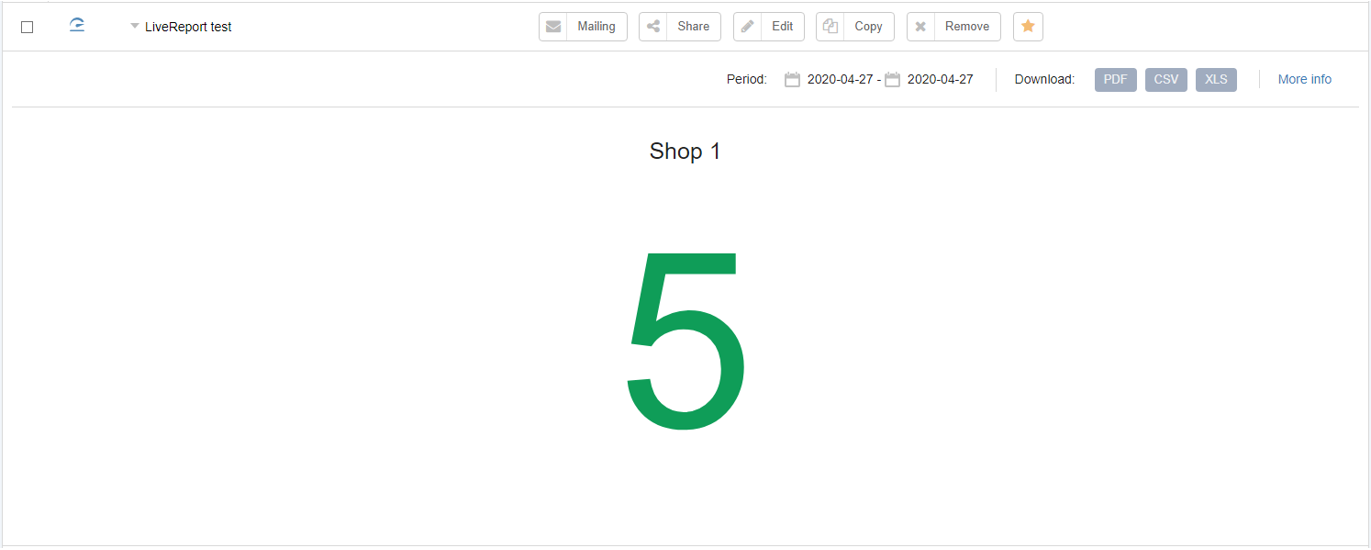
Real-time occupancy tracking measures how many people enter and leave through every access point and calculates the net total on premises continuously. Instead of reviewing historical totals after closing time, managers see live visitor numbers on a browser dashboard or mobile screen as foot traffic shifts.
How Real-Time Occupancy Tracking Works
The math behind live room and building occupancy is simple: total entries minus total exits equals the number of people currently inside. To keep that balance accurate throughout the day, directional sensors at each doorway detect which way every visitor is walking and send updates to a reporting portal over a local network or wireless gateway.
Modern systems update dashboards automatically within seconds or short intervals, so managers can watch building load build during peak hours and clear toward closing time. You can view the live occupancy report on a desktop screen at the service desk, mount a tablet near an entrance to display available capacity, or let automated rules send alerts when a threshold is reached.
Operational Decisions You Can Make with Live Headcounts
Live occupancy tracking started out as a compliance tool for crowd limits, yet most commercial teams keep using it because it improves daily operations across the whole site:
- Smarter staff allocation: Spot an early afternoon surge before queues back up, giving supervisors time to open another register or bring floor staff forward.
- Safety and capacity compliance: Receive instant notifications when a showroom, library, or event hall nears its maximum permitted headcount so reception teams can manage entry smoothly.
- Demand-based cleaning and HVAC: Trigger restroom checks or adjust air circulation based on actual visitor load rather than rigid hourly schedules.
- Multi-zone crowd balancing: Compare real-time load across separate wings, floors, or entrances to see where bottlenecks form in large venues.
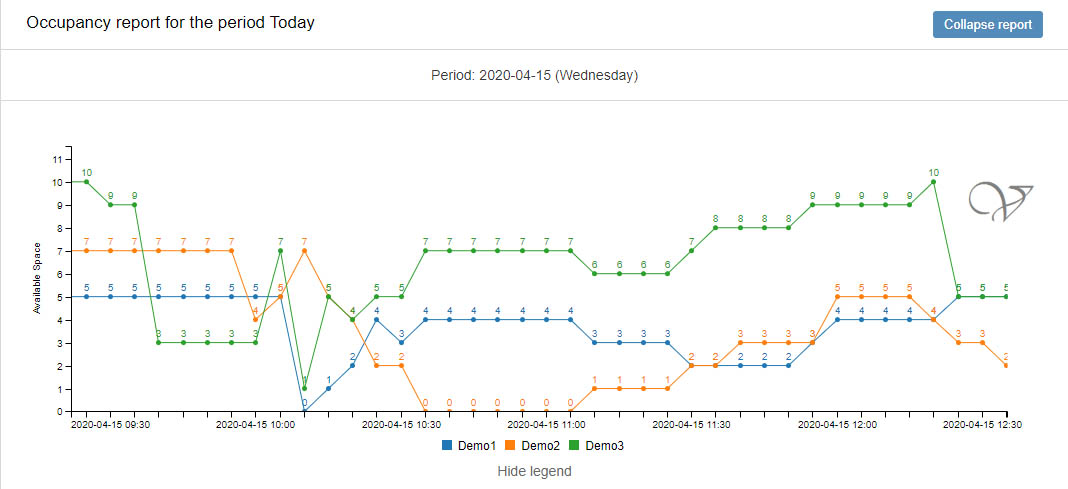
Combining live views with historical occupancy reports also helps operations teams plan next week's shifts. When you can see exact half-hour occupancy curves across every day of the week, staffing schedules and delivery windows match real building demand.
Choosing the Right Sensor for Your Entrances
Not every doorway behaves the same way, and picking the wrong sensor geometry is the most common reason live headcounts drift. Match the hardware to the width and traffic pattern of each opening:
- Standard doors and narrow corridors: For single or standard double doors where visitors usually walk through in single file, wireless bidirectional infrared sensors such as the SensMax D3 TS offer fast deployment. They attach to door frames using industrial high-bond mounting tape, run on batteries for up to 2 years, and transmit live IN and OUT counts to a gateway without power cabling.
- Wide entrances and busy concourses: In shopping centers, open-plan retail lobbies, and transport hubs, people walk side by side in groups. A single infrared beam cannot separate overlapping walkers, so a 60 GHz mmWave radar like the SensMax TAC-B 3D-W is the better choice. It tracks multiple people moving in different directions at once, works reliably in bright sunlight or dim interiors, and processes anonymous spatial coordinates with no video recording.

Setting Up Accurate Multi-Door Counting
Rolling out live occupancy tracking across a store, office, or commercial complex works smoothly when you follow a few practical setup steps:
- Cover every public access point: Count all doors visitors use, including side exits or parking-garage entrances. An unmonitored exit will cause the live occupancy figure to climb artificially over the day.
- Set an overnight baseline reset: Schedule an automatic zero reset after closing hours when the building is empty. Any minor daytime variance from staff movements or bundled deliveries resets cleanly before the next business day.
- Configure threshold notifications: Set warning and maximum levels in your reporting dashboard so duty managers receive automated email or messaging alerts before a hall or store reaches full capacity.
Key Takeaways
- Real-time occupancy equals live entries minus live exits, giving managers an instant headcount across single doors or multi-entrance sites.
- Live visitor data supports immediate staffing adjustments, fire-safety capacity limits, and demand-based HVAC or cleaning schedules.
- Use wireless bidirectional infrared counters (SensMax D3 TS) for standard doorways without power cabling, and 60 GHz radar (SensMax TAC-B 3D-W) for wide entrances with side-by-side traffic.
- Cover every public entrance and schedule an overnight zero reset to keep daily occupancy totals accurate.
Frequently Asked Questions
How accurate is real-time occupancy counting across multiple doors?
Accuracy depends on matching each doorway to the right sensor technology and covering every exit used by visitors. Bidirectional infrared sensors work well on standard doorways, while 60 GHz radar keeps high accuracy across wide entrances where groups walk side by side.
Does real-time people counting protect visitor privacy?
Yes. Both infrared beam sensors and 60 GHz mmWave radar track anonymous movement and direction without capturing video images, faces, or mobile device identifiers, making GDPR compliance straightforward.
Can we monitor live occupancy without running power cables to every door?
Yes. Battery-powered SensMax D3 TS infrared counters mount non-invasively on door frames and run for up to 2 years while sending live data wirelessly to a single network gateway. Wide-area radar sensors typically use a standard PoE network cable for power and live data.
What happens if a few visitors slip through uncounted during peak hours?
Small differences can happen during heavy rushes, especially if someone stands in a doorway. Scheduling an automatic overnight reset when the premises are empty clears any residual offset so every new day starts cleanly at zero.
Ready to set up live occupancy monitoring for your premises? Share your number of entrances, doorway widths, and target reporting setup in the inquiry form below, and our team will recommend the right SensMax D3 TS or TAC-B 3D-W configuration for your site.
Ask your question
Tell us briefly about your project - our engineers will recommend the optimal configuration and send a quote.